Key takeaways
- Laptop protection: Look for a padded sleeve that holds the computer securely rather than letting it slide around. A suspended sleeve—one that sits slightly above the bag’s bottom—helps reduce impact if the pack is set down hard. A sleeve is not the same as a waterproof case, so protect electronics separately in heavy rain.
- Device organization: A tablet sleeve, small accessory pockets, and a main compartment that fits a notebook or binder prevent cables from pressing against the laptop. If you carry a mouse, headphones, calculator, or portable drive, check that they each have a place.
- Charging access: A pass-through port can route a cable from a power bank inside the pack to a device outside. It does not generate power; you still need a compatible power bank and cable. Keep the battery accessible, and avoid charging devices in a tightly packed bag where heat can build up.
- Comfort: Wide, adjustable shoulder straps and a padded back panel help distribute pressure. A sternum strap can reduce shoulder-strap movement on longer walks. If you carry a heavy load, a waist belt may help stabilize it—but it adds bulk and is unnecessary for many short campus trips.
- Water resistance: Water-resistant fabric and coated zippers can handle light rain, but they do not make a backpack waterproof. A rain cover or separate waterproof sleeve is a sensible extra for a long walk in wet weather.
- Useful capacity: Volume alone does not guarantee a good fit. A wide main compartment may accommodate books and lunch, while a slim design can be easier to manage on crowded buses and in lecture rooms.
Best backpacks for tech students: the quick answer
The best backpacks for tech students protect a laptop in a suspended, padded compartment, keep chargers and accessories organized, fit a full day’s campus gear without excessive bulk, and stay comfortable when carried between classes. For most students, a 20–30-liter backpack with a padded 15- or 16-inch laptop sleeve, water-resistant fabric, a supportive back panel, and a sternum strap is the most versatile choice. Choose a smaller pack for a light commute, a larger one for gym clothes or bulky equipment, and a dedicated tech layout if you regularly carry more than one device.
Backpacks aren’t home furnishings, but the same practical buying principle applies: check dimensions and construction against the way you use your space and belongings, rather than choosing by appearance alone. The measurements and fit checks below can help narrow the options before you buy.
Our top picks
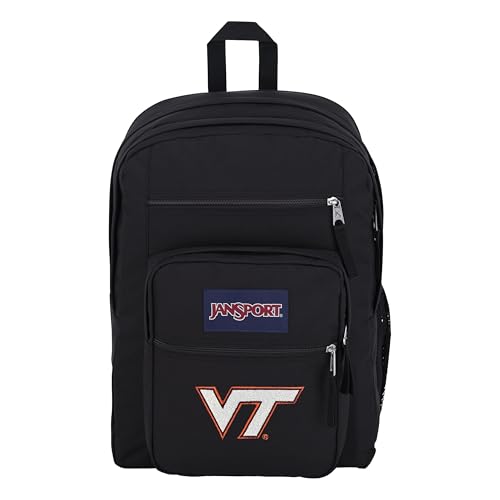

As an Amazon Associate we earn from qualifying purchases at no extra cost to you. Ratings are shown as listed on Amazon.
What matters most for a student tech backpack
- Laptop protection: Look for a padded sleeve that holds the computer securely rather than letting it slide around. A suspended sleeve—one that sits slightly above the bag’s bottom—helps reduce impact if the pack is set down hard. A sleeve is not the same as a waterproof case, so protect electronics separately in heavy rain.
- Device organization: A tablet sleeve, small accessory pockets, and a main compartment that fits a notebook or binder prevent cables from pressing against the laptop. If you carry a mouse, headphones, calculator, or portable drive, check that they each have a place.
- Charging access: A pass-through port can route a cable from a power bank inside the pack to a device outside. It does not generate power; you still need a compatible power bank and cable. Keep the battery accessible, and avoid charging devices in a tightly packed bag where heat can build up.
- Comfort: Wide, adjustable shoulder straps and a padded back panel help distribute pressure. A sternum strap can reduce shoulder-strap movement on longer walks. If you carry a heavy load, a waist belt may help stabilize it—but it adds bulk and is unnecessary for many short campus trips.
- Water resistance: Water-resistant fabric and coated zippers can handle light rain, but they do not make a backpack waterproof. A rain cover or separate waterproof sleeve is a sensible extra for a long walk in wet weather.
- Useful capacity: Volume alone does not guarantee a good fit. A wide main compartment may accommodate books and lunch, while a slim design can be easier to manage on crowded buses and in lecture rooms.
Compare the main backpack types
| Pack type | Typical capacity | Best for | Trade-off to check |
|---|---|---|---|
| Slim commuter | 18–22 L | Laptop, charger, notebook, and a few daily essentials | Limited room for bulky textbooks, lunch containers, or gym gear |
| General campus backpack | 22–30 L | Most students carrying a laptop, books, water bottle, and lunch | More pockets can add weight and make small items harder to find |
| Tech-organizer backpack | 20–30 L | Students with a laptop, tablet, peripherals, and many cables | Structured compartments may reduce space for oddly shaped items |
| Large or travel-style pack | 30–40 L | Long commutes, overnight stays, or carrying clothes alongside coursework | Can feel bulky in crowded classrooms and encourage overpacking |
Capacity is usually listed in liters, but brands may measure it differently. Treat these ranges as a starting point, then check the bag’s external dimensions and laptop-sleeve measurements. A nominally 16-inch sleeve may not fit every 16-inch computer because screen size does not describe the full chassis.
Choose by your campus routine
| Your situation | A sensible choice | Why it fits |
|---|---|---|
| Short walk to class; laptop and one notebook | 18–22 L slim commuter pack | Keeps the load compact and easier to handle in crowded spaces |
| Full day with books, lunch, and water bottle | 22–30 L general campus pack | Offers room for daily gear without the volume of a travel bag |
| Computer science, design, or media coursework with peripherals | 20–30 L pack with a suspended laptop sleeve and accessory pockets | Separates devices and cables while leaving room for coursework |
| Long walk or heavy daily carry | Pack with contoured straps, a supportive back panel, and a sternum strap | Stability and fit matter more than extra organizer pockets |
| Regular rain or cycling commute | Water-resistant pack plus a rain cover or laptop dry sleeve | Provides a backup barrier where fabric resistance alone may not be enough |
Check the fit before committing
Measure the computer, not just the screen
Measure the laptop’s width, depth, and thickness, then compare those figures with the manufacturer’s stated sleeve dimensions. Leave a little clearance for easy insertion, but avoid a sleeve so loose that the computer shifts when the bag moves. If the pack has a bottom laptop pocket, check whether it is padded and whether the device sits above the base.
Estimate your actual load
Lay out what you carry on a normal day: computer, power adapter, notebooks, bottle, lunch, and any specialist equipment. A bag that fits only when packed neatly at home may be frustrating if you need to add a jacket or borrow a library book. For a useful capacity test, place the bulky items in the main compartment first, then confirm that the laptop and accessories still fit without forcing the zipper.
Try the loaded pack
Adjust both shoulder straps so the bag rests close to your back rather than sagging low. Walk for a few minutes with a representative load. Look for pressure points, straps that slip, or a back panel that feels hot against your body. If you have recurring back or shoulder pain, comfort depends on your body and load; consider trying several fits and seeking advice from a qualified clinician if pain persists.
Materials and construction: the useful trade-offs
| Construction detail | Advantages | What to watch |
|---|---|---|
| Nylon or polyester fabric | Common, relatively light, and available with water-repellent coatings | Coatings and seam construction vary; water resistance can wear over time |
| Reinforced base and stitched stress points | Help withstand frequent setting down and pulling on straps | Reinforcement can add weight; inspect stitching where straps meet the bag |
| Foam-padded back and shoulder straps | Cushion contact points and help the pack sit more comfortably | Very soft padding can compress; fit and strap shape matter as much as thickness |
| Coated zippers or storm flaps | Offer extra protection against splashes and light rain | Do not assume the entire bag is waterproof, especially at seams |
Common mistakes to avoid
- Buying by screen size alone: Laptop dimensions differ even when screen sizes match. Check the actual sleeve opening and depth.
- Choosing the largest bag “just in case”: Extra room can encourage a heavier load and make the pack awkward in tight seating.
- Treating a charging port as a power source: It is only a cable opening. Confirm that the design fits your power bank and charging setup.
- Assuming water-resistant means waterproof: For electronics, use a protective sleeve or rain cover when exposure is likely.
- Ignoring the empty weight: A heavily structured bag may protect gear well but increase the weight you carry every day.
Bottom line
For most students, a 22–30-liter backpack with a close-fitting, suspended laptop sleeve, practical accessory storage, comfortable adjustable straps, and water-resistant fabric is the best starting point. Choose a slim commuter pack if your daily load is light, a tech-organizer design if you carry several devices, or a larger bag only when your routine truly requires extra capacity. Confirm the laptop’s actual dimensions, test the fit with your typical load, and treat rain protection as a separate decision from everyday durability.